Father’s Day SVG Design and Dad SVG: A Practical Guide to Digital Craft Files for Personalized Gifts
When Father’s Day approaches, many people look for ways to create something personal and meaningful for the fathers in their lives. A Father’s Day SVG design or Dad SVG file offers a versatile starting point for custom gifts, from t-shirts and mugs to wall art and cards. Unlike buying a generic store-bought item, working with an SVG file gives you control over size, color, materials, and the final message. Understanding what these digital files actually include, how they compare to other options, and when they fit your project best can help you decide if this approach is right for you.
What a Father’s Day SVG Design Actually Is
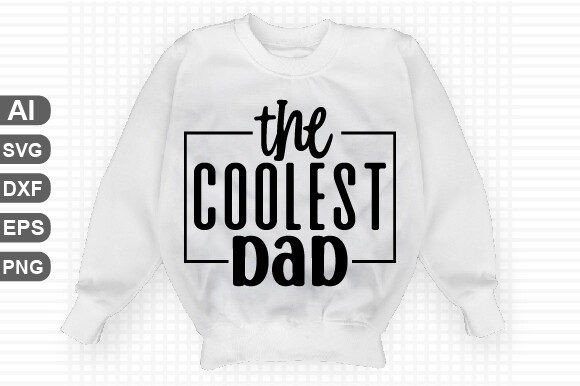
A Father’s Day SVG design is a vector-based graphic file specifically created for cutting machines or design software. The letters stand for Scalable Vector Graphics, which means the image is built from mathematical paths rather than pixels. This makes the design infinitely scalable without losing quality. A Dad SVG file typically contains a phrase, a graphic element, or a combination of both—something like “World’s Best Dad,” “Dad,” or a fun saying about grilling, fishing, or napping.
What sets a layered SVG design apart from a simple image is its structure. The file is built with separate layers for each color or material section. For example, a design may have a background layer, a text layer, and an accent graphic layer. This makes it easy to cut each part from different colors of vinyl, cardstock, or heat transfer material. The phrase “word by layer” means that each word or element sits on its own layer, allowing you to rearrange, recolor, or omit parts without affecting the rest of the design.
What You Get in the Download
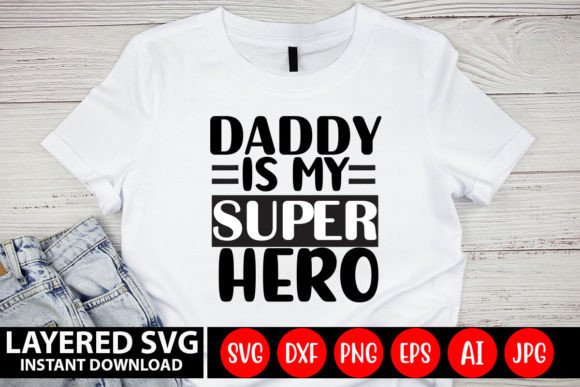
When you purchase a Father’s Day SVG design or Dad SVG set, you typically receive a .zip file containing multiple file formats. Understanding each one helps you choose the right format for your specific workflow. The download usually includes:
- AI file (Adobe Illustrator vector): Ideal for users who work in Illustrator and want full control over paths, colors, and layers. You can edit every element of the design directly.
- SVG file (word by layer cut file): The primary format for cutting machines like Cricut and Silhouette. Each word or element remains on its own layer so you can assign different materials or colors per section.
- PNG file (high-quality, 300 DPI): A raster image with a transparent background. Useful for printing, mocking up designs, or using in programs that do not support vectors.
- EPS file (vector): A universal vector format compatible with many design applications including Inkscape, CorelDRAW, and older versions of Adobe software.
- DXF file (AutoCAD): A format sometimes used with certain cutting machines or CAD software. Less common for crafters but helpful if your workflow requires it.
- JPEG file (4500 x 5400 pixels): A high-resolution raster image with a solid background. Useful for previews, printing, or sharing online.
All files are digital download only. No physical product ships. This means you receive the files immediately after purchase and can start using them right away.
How a Dad SVG File Compares with Other Gift-Making Approaches
If you are deciding whether to use a Father’s Day SVG design, it helps to consider other common routes for creating personalized gifts. Each option has its own strengths and tradeoffs.
Digital SVG vs. Pre-Made Physical Gifts
A store-bought mug or T-shirt with a printed message is convenient and requires no effort beyond the purchase. However, the design is fixed, the quality may vary, and you cannot customize the size, color, or materials. With a Dad SVG file, you can choose exactly which shirt, mug, or canvas you want, select your own colors, and even adjust the phrase or layout if the file is editable. The tradeoff is that you need access to a cutting machine or design software, as well as time to prepare and assemble the project. For someone who enjoys hands-on crafting, the extra effort yields a genuinely unique result.
Digital SVG vs. Hand-Designed Artwork
Creating your own design from scratch in software like Illustrator or Inkscape gives you total creative freedom, but it requires a significant time investment and familiarity with vector tools. Not everyone has the skills or patience to draw a complex layered design. A Father’s Day SVG design provides a professional-quality starting point. You can still modify it—change the font, swap colors, or rearrange layers—but you skip the difficult parts of building artwork from nothing. This is a middle ground for people who want customization without starting from zero.
Digital SVG vs. Other Digital Formats (PNG, JPEG, PDF)
If you only plan to print a design onto paper or fabric, a high-resolution PNG or JPEG may be sufficient. These formats are easy to use and work in almost any program. However, they are not ideal for cutting machines because they lack layer separation and editable paths. A PNG of a layered design will have the artwork flattened into one image, so you cannot cut each color from different material rolls. An SVG file preserves the layer structure, making it the right choice for multi-material projects like layered vinyl decals, heat transfers, or cardstock cards. If your project is primarily printing on a single surface, a PNG may be simpler and still deliver good results.
Strengths and Limitations of Father’s Day SVG Designs
No single format or approach works for everyone. Understanding the strengths and limitations of a Dad SVG file helps you decide if it matches your setup and goals.
Strengths
- Scalability without quality loss: Because SVG is vector-based, you can resize the design from a small decal to a large poster without pixelation.
- Layered organization: Each word or element is separate, so you can cut different parts from different materials or colors. This is essential for professional-looking multi-color projects.
- Broad compatibility: SVG files work with Cricut Design Space, Silhouette Studio, Inkscape, Adobe Illustrator, Adobe Photoshop, and many other programs.
- Multiple formats included: Getting AI, EPS, DXF, PNG, and JPEG in one download means you are covered whether you edit, cut, print, or share the design.
- Immediate download: No shipping delays. You can start your project as soon as you purchase.
Tradeoffs and Limitations
- Requires compatible hardware or software: To fully use the SVG for cutting, you need a cutting machine like Cricut or Silhouette, or a vector editing program. If you only have a basic printer and no design software, the SVG and AI files may not be directly useful.
- Digital-only product: You receive files, not a finished item. The final gift still requires your labor to cut, weed, transfer, and assemble.
- Learning curve for layering: If you are new to working with layered SVGs, you may need to learn how to assign layers to different materials or adjust the design in your software. Most sellers provide instructions, but it is not as simple as opening a single image.
- Limited customization without editing ability: Some SVG files are more locked than others. If the design is highly detailed or the text is outlined rather than editable, you may not be able to easily change the wording. Always check whether the file allows you to edit text or only cut as-is.
When a Dad SVG File Is the Right Choice
These designs work best for crafters who already own or have access to a cutting machine and want a ready-to-use design that saves time. For example, if you have a Cricut Maker and want to make a custom tumbler for your dad with a layered quote and an image of a fishing rod, an SVG file with separate layers lets you cut the text from black vinyl, the fish from blue vinyl, and the rod from brown vinyl. You can size the design exactly to fit the tumbler and position it how you like.
Similarly, if you are making multiple gifts for different family members—say, one shirt for your dad, one for your father-in-law, and one for your grandfather—having an SVG file lets you reuse the same base design with different colors or slight modifications. This is far more efficient than creating each design from scratch or buying individually printed shirts.
The design also suits people who want to sell finished products. A layered Dad SVG file can be the foundation for handmade items sold at craft fairs or on Etsy. Because the file is commercially licensed (depending on the seller), you can produce physical goods for sale without designing the artwork yourself.
When Another Option May Serve You Better
If you do not own a cutting machine and do not plan to buy one, an SVG file may not be the most practical choice. A PNG or JPEG with a transparent background allows you to print the design onto transfer paper and iron it onto fabric, or to send the file to a print-on-demand service. You miss the layered effect, but you avoid the cost of a machine and the learning curve.
Likewise, if your project requires a simple one-color image and you are not concerned about scaling, a free PNG or a pre-made physical item may be faster and cheaper. Paying for a layered SVG set when you only need a basic silhouette may be unnecessary.
If you want total control over every aspect of the typography and layout and have strong vector skills, creating your own design from scratch gives you the most creative freedom. A purchased SVG may have limits on how much you can edit, especially if the text is converted to outlines.
Key Decision Factors for Choosing a Father’s Day SVG Design
To decide whether a specific Dad SVG file fits your project, consider these factors:
- Your equipment: Do you have a Cricut, Silhouette, or similar cutter? If yes, SVG files are ideal. If no, look for PNG or JPEG options.
- Your software: Can you open and edit AI or EPS files? If you only have free software like Inkscape, EPS and SVG are still usable, but some AI features may not transfer perfectly.
- Layer complexity: How many layers does the design have? More layers mean more material and more assembly time. For a beginner, a two- or three-layer design is manageable. A six-layer design may be frustrating.
- Editable text: If you want to change “Dad” to “Grandpa” or add a name, make sure the SVG or AI file has live text, not outlined vectors.
- License terms: Check if the file is for personal use only or allows small commercial use. Some sellers restrict how many physical items you can make or sell.
- File count and variety: A download that includes AI, SVG, EPS, DXF, PNG, and JPEG gives you the most flexibility across different programs and machines. It also future-proofs your file if you switch software later.
Practical Examples of Father’s Day SVG Projects
A layered Dad SVG file can take many forms. Here are realistic applications that show its versatility:
- T-shirt with multicolor layered design: A shirt that says “Dad” in bold letters with a subtle American flag pattern or a grill graphic. Each color cuts from its own sheet of heat transfer vinyl, and you layer them one by one using the registration marks or alignment guides in your software.
- Wooden sign with stacked cardstock layers: A home décor sign for Father’s Day with a phrase like “Dad’s Workshop.” Each word and decorative element is cut from a different color of cardstock and adhered to a painted wooden board using foam adhesive for a 3D effect.
- Custom mug with permanent vinyl: A mug featuring a Dad SVG design in two colors. The text cuts from permanent vinyl and weeding removes the excess. You apply transfer tape to move the design to the mug. The layered format lets you apply the back layer first, then the front layer precisely on top.
- Personalized card with layered paper: A handmade card where the front features a layered SVG cut from textured cardstock. The layers stack to create depth, and the inside is left blank for a handwritten message.
Getting the Most from Your Download
Once you unzip the file, keep the folder organized. The AI file is your best bet if you plan to edit colors, resize, or modify the text. Import the SVG into Cricut Design Space or Silhouette Studio for cutting. Use the PNG or JPEG for quick mockups or if you need to show someone a preview before you cut. The EPS and DXF are backup formats that work in specialized workflows—many crafters never use them, but they are available if needed.
If you are new to SVG layering, start with a simple two-layer design. Watch a few tutorial videos specific to your machine’s software. Practice weeding and applying transfer tape on a small project before attempting a complex gift. The layer separation in the file makes it easier to manage because you can hide or show layers as you work.
Making an Informed Decision
A Father’s Day SVG design or Dad SVG file is not a one-size-fits-all solution, but it is a powerful tool for anyone who enjoys creating personalized gifts with a cutting machine. The inclusion of multiple file formats—AI, SVG, EPS, DXF, PNG, and JPEG—gives you flexibility across different software and hardware, while the word-by-layer structure ensures that multi-color and multi-material projects remain manageable.
Evaluate your own setup honestly. If you have the equipment and the willingness to invest a few hours into assembly, a layered SVG design often produces a more professional and distinctive result than a printed design or a store-bought item. If you lack the tools or prefer a simpler process, consider using the PNG or JPEG for printing, or look for a finished physical gift instead. Either way, understanding what the download contains and how each format works helps you use the design effectively and avoid frustration.