Friendship Day SVG and PNG: A Versatile Bundle for Crafters and Small Businesses
Friendship Day has a habit of sneaking up on you. One minute you are planning your month, and the next you need a dozen personalized gifts, a batch of themed t-shirts for a school event, or fresh inventory for your online shop. If you have ever scrambled to find a design that works across different materials and machines, you know how frustrating it can be to juggle file formats and resolutions.
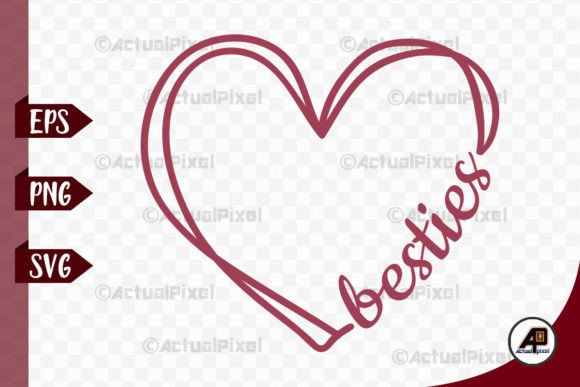
The Friendship Day SVG and PNG bundle is built to eliminate that scramble. It gives you seven individual files: one EPS, three PNG files at 300 dpi (color, black, and white), and three SVG files (also color, black, and white). These are designed to work natively with Cricut, Silhouette, and other cutting machines, but they also hold up beautifully for digital printing and sublimation. Instead of buying separate files for different projects, you get one cohesive set that covers everything from vinyl decals to full-color stickers.
What the Seven Files Actually Mean for Your Workflow
When you download a bundle with EPS, PNG, and SVG variants, you are not just collecting files. You are collecting options for different physical and digital outcomes. Understanding what each format does best helps you avoid common mistakes like cutting a raster image when you should be cutting a vector, or printing a low-resolution PNG on a large item.
The EPS File
EPS is the professional’s starting point. It is a vector file, which means it is built on math rather than pixels. You can resize it to fit a business card or a yard sign without losing any sharpness. If you use Adobe Illustrator, CorelDRAW, or Inkscape, the EPS file lets you customize the design. You can change the stroke weight, swap out colors, or combine it with other elements before exporting it to your cutting or printing software. For someone who needs to adapt a design for multiple products, this is the foundation.
The SVG Files
SVG is the standard for modern cutting machines. Cricut Design Space and Silhouette Studio handle SVGs seamlessly. Because the bundle includes SVG files in color, black, and white, you can skip the step of converting or manipulating the design inside your software.
- Color SVG: Great for layered multi-color vinyl projects or for previewing the finished look on screen.
- Black SVG: Ideal for single-color decals and intricate cuts. The solid black fill makes it easy to see your weeding lines.
- White SVG: Essential for dark substrates. If you are cutting white vinyl for a black tumbler or a dark t-shirt, the white SVG gives you a clean visual reference without having to invert the design yourself.
The PNG Files
PNGs are raster images, and at 300 dpi, these are print-ready. The color PNG works perfectly for sublimation transfers, printable sticker paper, cardstock invitations, and social media graphics. The black and white PNGs are useful for one-off prints where you do not want to load the file into a vector editor. A white PNG over a dark background can also serve as a base layer guide for complex multi-step prints.
Real Scenarios: Where People Actually Use This Bundle
The strength of this bundle is that it does not assume you work in just one medium. Most crafters and small business owners switch between vinyl, sublimation, paper crafts, and digital products depending on the season or the order. Here is how different users get value from the same set of files.
The Print-on-Demand Seller
If you run a shop on Redbubble, TeePublic, or use a service like Printful, file quality is non-negotiable. Uploading a low-resolution PNG leads to blurry prints and refund requests. The color PNG in this bundle is 300 dpi with a transparent background, which means it integrates directly with product mockups. You upload it once and apply it to t-shirts, hoodies, tote bags, and phone cases. Because it is a clean, high-resolution file, it scales appropriately for larger items like hoodies without pixelation.
Scenario: You receive a bulk order for a local school’s “Friendship Week” event. You need ten hoodies and twenty-five t-shirts. Using the color PNG, you upload the design to your POD partner, select the sizes and colors, and the order goes into production. You do not need to touch the design software at all.
The Vinyl Decal Maker
For those who cut heat transfer vinyl or adhesive vinyl, the black SVG is your workhorse. Single-color decals are fast to cut, weed, and press. The black fill gives you clear contrast on the cutting mat, and the vector paths are clean enough that small text or fine details weed out smoothly without tearing.
Scenario: A customer wants ten matching water bottles for their bridal party gifts. You load the black SVG into Silhouette Studio, set your cut lines for adhesive vinyl, and run the mat. Because the design is already a solid black vector, you do not waste time cleaning up stray nodes or adjusting the cut settings. The white SVG is equally useful here if you are personalizing dark-colored bottles.
The Classroom Teacher or Youth Group Leader
School celebrations, scout meetings, and youth group events often require quick, budget-friendly projects. Teachers rarely have the budget to buy individual design files for every holiday. This bundle gives you the flexibility to make multiple types of projects from one purchase.
Scenario: You are planning a classroom Friendship Day party. You use the color PNG to print 25 thank-you cards on cardstock. Then you switch to the black SVG to cut iron-on vinyl for a matching class t-shirt that you will wear during the celebration. The white PNG can be used as a coloring sheet for younger students. From one bundle, you cover a craft station, a wearable item, and a take-home gift.
The Sublimation Enthusiast
Sublimation printing demands high-resolution, mirrored images with vibrant colors. The color PNG, at 300 dpi, provides the detail needed to produce sharp transfers on coated mugs, polyester shirts, and ceramic tiles.
Scenario: You have a craft fair coming up and you want to offer a “Best Friend” mug set. You import the color PNG into your sublimation design software, mirror it, and print it onto sublimation paper. The 300 dpi resolution ensures that the colors blend smoothly and the text (if any) remains crisp after pressing. Because the bundle includes the EPS file, you can also add a personalized name to each mug before exporting a custom PNG for individual orders.
What to Consider Before You Start Your Project
Even with a high-quality bundle, a few practical checks can save you from wasted materials and frustration.
Machine Compatibility
Most cutting machines prefer SVG for vector cuts. If you are using an older machine or software, check that it supports SVG imports. Cricut Design Space handles SVGs natively, but some users find that certain complex paths weed better when imported as a PNG and traced. Experiment with both the SVG and the black PNG in your software to see which yields smoother cuts for your specific design.
Material Settings
Do not skip the test cut. While the files are professionally prepared, every batch of vinyl or heat transfer material behaves slightly differently. Run a small test cut with the black SVG before loading your final sheet of glitter vinyl. Adjust your blade depth and pressure based on the test results, not just the default settings.
Print Quality for PNG Files
300 dpi is a professional standard for print, but your printer also matters. If you are printing the color PNG for stickers or cards, use high-quality glossy paper or sticker stock and set your printer to its best photo mode. For sublimation, ensure your printer is configured with the correct ICC profile for your paper and heat press combination.
How Different Users Benefit from the Same Bundle
One of the most practical features of this bundle is the inclusion of color, black, and white variants for both SVG and PNG. This is not just a bonus—it directly affects how quickly you can move from download to finished product.
For the entrepreneur: You can fulfill a bulk order of t-shirts using the black SVG and heat transfer vinyl in the morning, and send a digital proof to a client using the color PNG in the afternoon. The EPS file allows you to make custom edits for repeat customers without having to rebuild the design from scratch.
For the hobbyist: You can make a single-color decal for your laptop, a full-color card for your best friend, and a sublimated keychain for your bag—all from the same download. You do not need to learn advanced vector editing to get professional-looking results.
For the educator: You can use the white PNG as a line art template for students to color in, the color PNG for a bulletin board display, and the black SVG to cut decor pieces for your classroom door. One set of files stretches across multiple lesson plans and activities.
Making the Most of the Vector Files
If you have access to vector editing software like Adobe Illustrator or the free option Inkscape, the EPS file unlocks the most flexibility. You can adjust the design to fit specific dimensions, change the color palette to match a brand or event theme, or combine elements from multiple files to create a completely original composition. For example, you could take the Friendship Day design, resize it to fit a 3-inch sticker, and then export it as a new SVG for cutting. This kind of customization is where the bundle goes from a simple download to a versatile tool you can reuse across different holidays and projects.
The key is to think of these files as raw materials rather than finished products. The design is clean and complete, but your specific use case will determine how you load, resize, and output the file. With the EPS, SVG, and PNG formats covering both vector and raster workflows, you are prepared regardless of whether you are cutting, printing, or combining both methods.
Whether you are preparing for a single heartfelt gift or building inventory for a small business, having the right file format and resolution ready to go changes how you approach a project. The Friendship Day SVG and PNG bundle gives you that head start. You skip the design work, the format conversions, and the guesswork about resolution. Instead, you spend your time actually making—pressing the heat transfer, running the sublimation print, or weeding the vinyl. That is where the real value lies.